

In This Article
A quiet laptop with good keyboard for dorm room use is a notebook that stays near-silent under everyday study loads, ideally fanless or with a fan that rarely spins up. It pairs that calm with keys that feel accurate, comfortable, and soft enough that your roommate keeps sleeping at 1 a.m.

Picture it. It’s 1:12 a.m., the essay is due at nine, your roommate is face-down in a hoodie, and your laptop starts whirring like a tiny helicopter. Nothing murders a deadline mood faster than being the loudest object in the room.
Shopping for a quiet laptop with good keyboard for dorm room life is a two-front war. One front is noise from inside the machine, meaning fans. The other is noise from your fingers, meaning clatter, mush, and the dreaded bottoming-out thud. Both have to feel good, because one back-to-school roundup estimates students spend about 40 hours a week on their laptops.
Here’s the part nobody advertises. Truly silent laptops are a shrinking club. Ultrabookreview’s fanless laptop guide notes that most fanless machines run on lower-power platforms, and the premium end is dominated by Apple’s MacBooks. A few Chromebooks and budget Windows models fill the gaps.
A note on method. I haven’t spent a night with any of these machines. Everything below is spec analysis plus what published reviews and owner reports consistently say, and I flag the gaps where data is thin. Prices are ranges only and shift often, so check current pricing before you buy.
Quick Comparison: 7 Best Quiet Laptops With Good Keyboards
| Laptop | Cooling | Approx. Key Travel | Backlit Keys | Price Range | Best For |
|---|---|---|---|---|---|
| ASUS ExpertBook BR1204 | Fanless | ~1.35 mm* | Verify config | $350-$600 | Tight budgets, text-first work |
| Apple MacBook Neo | Fanless | ~1.0 mm | No | $600-$700 | Cheapest Mac typing feel |
| Lenovo Chromebook Plus 14 | Fanless | Not published | Verify config | $650-$750 | Web-based coursework |
| Lenovo ThinkPad T14s | Dual fan, quiet | 1.5 mm | Typically yes | High-$1,000s to ~$2,000 | Typists who want deep keys |
| Apple MacBook Air 13 M5 | Fanless | ~1.0 mm | Yes | ~$1,000-$1,100 | Silent all-rounder |
| Apple MacBook Air 15 M5 | Fanless | ~1.0 mm | Yes | ~$1,300-$1,500 | Big screen, marathon sessions |
| Lenovo ThinkPad X1 Carbon | Dual fan, quiet | 1.5 mm | Yes (white) | ~$2,000+ | Flagship typing comfort |
*Listed for the flip sibling, the BR1204F. Check your exact model.
Look at that table with one eye on silence and one on keys, and a trade-off jumps out. The deepest keyboards (the two ThinkPad models at 1.5 mm) belong to laptops with fans, while the fanless crowd clusters around shallower, softer travel. The ASUS ExpertBook BR1204 is the odd middle child, fanless with travel deeper than Apple’s. The MacBook Neo is the only machine here with no backlight at all, which matters for late-night typists.
💬 Just one click — help others make better buying decisions too!😊
Top 7 Quiet Laptops With Good Keyboards for Dorm Rooms: Expert Analysis
1. ASUS ExpertBook BR1204 — cheapest fanless Windows option
Windows fans of silence have been starved of options, and this education-focused 12.2-inch is one of the few still listed as passively cooled.
Retail listings show an Intel N150 (four cores, up to 3.6 GHz), a 50 Wh battery, and a 1920×1200 panel. The spill-resistant chiclet keyboard on the flip sibling lists about 1.35 mm of travel, which is deeper than Apple’s roughly 1.0 mm and a touch shy of a ThinkPad‘s 1.5 mm. In practice that means a springier landing than a MacBook, and a coffee spill that stays a story rather than a funeral.
Based on the spec comparison, this is a writer’s machine: documents, a browser, video calls, nothing exotic. The N150 won’t thrill anyone running twenty tabs plus a video, but with no fan there’s nothing to whine about.
Reviewers of the BR1204F sibling rated it around 80%, praising the rugged education build while scoring performance as the weak spot. One owner comment on Ultrabookreview describes good battery life and a strong touchpad, though that’s a single voice, not a consensus.
Pros:
- ✅ Fanless design means true silence
- ✅ Spill-resistant keyboard with respectable travel
- ✅ Tough build with a 180-degree hinge
Cons:
- ❌ N150 chip slows under heavy multitasking
- ❌ Small screen and modest base storage
Expect roughly $350-$600 depending on configuration and seller. It’s strong value for text-first work, and the wrong pick if you edit video.

2. Apple MacBook Neo — fanless Magic Keyboard on a budget
Apple’s first genuinely affordable MacBook borrows the same keyboard design as its pricier siblings, which is the whole trick.
Per hands-on reviews, it uses flat, wobble-free scissor keys with about 1 mm of travel. It runs a phone-class A18 Pro chip with no fan and no vents, weighs about 2.7 pounds, and carries a 36.5 Wh battery. Apple’s claimed battery life runs closer to 8 hours in nominal real use, according to AppleInsider’s review.
Here’s what the spec sheet won’t tell you. A shallow, crisp tap is quiet on the desk, but if you love deep, bouncy keys you may find it flat. And with memory capped at 8 GB, this is a laptop for essays and research, not for juggling a dozen heavy apps.
Reviewers consistently praise the keyboard feel, trackpad, and build. Common complaints: no keyboard backlight, Touch ID only on the pricier 512 GB model, and one USB-C port limited to USB 2 speeds.
Pros:
- ✅ Fully fanless and vent-free
- ✅ Same Magic Keyboard feel as pricier Airs
- ✅ Premium aluminum build at a budget price
Cons:
- ❌ No keyboard backlight
- ❌ Only 8 GB memory and one slow USB-C port
Plan on about $600-$700, with education pricing lower. It’s the best silent entry ticket if you can live without a backlight.
3. Lenovo Chromebook Plus 14 — fanless OLED with a talkative keyboard
This is the Chromebook that made people stop sneering at Chromebooks.
It pairs a MediaTek Kompanio Ultra chip with a 14-inch 1920×1200 OLED panel in a fanless chassis weighing about 2.78 pounds. Reviewers at Chrome Unboxed said the 17-hour battery claims held up. That matters in a dorm where the one good outlet is always taken.
On paper this suits anyone who lives in Google Docs. Expert Reviews says the keyboard is markedly better than earlier Lenovo Chromebooks. Gizmodo’s word for it was “clacky,” which hints at a slightly more audible keystroke than Apple’s hushed scissor feel. Key travel isn’t published in the sources I found, so try one in a store if your roommate sleeps lightly.
Reviewers broadly praise the OLED, battery, and keyboard. The recurring knocks are limited ports (USB 3.2 Gen 1 only) and ChromeOS itself, which can’t run every desktop app a course might require.
Pros:
- ✅ Fanless and silent
- ✅ Vivid OLED with long battery life
- ✅ Keyboard praised as best-in-class for Chromebooks
Cons:
- ❌ ChromeOS can’t run some required desktop software
- ❌ Reviewers describe the key sound as clacky
Launch pricing sat around $650-$750. It’s excellent value if your coursework lives in a browser.
4. Lenovo ThinkPad T14s — deep keys with fans that rarely shout
If your fingers care more than your ears, start here.
The ThinkPad T14s keeps the iconic layout with 1.5 mm of travel and the TrackPoint nub, in a roughly 2.35-pound body. Dual-fan cooling and a 58 Wh battery round it out. Lenovo sells it with Intel, AMD, or Snapdragon chips, so check which one you’re buying.
Ultrabookreview’s October 2026 comparison says both the T14s and X1 Carbon run very quietly for their slim profiles. The practical advice is simple: stay on Balanced power mode, where draw sits around 25W, and you’ll rarely hear a thing. Push to Performance and the fans will make their case.
That same reviewer ranks ThinkPad typing comfort above the MacBooks and the Zenbook. The criticisms are mostly about money (it isn’t dramatically cheaper than the Carbon), mediocre speakers, and a basic clickpad.
Pros:
- ✅ 1.5 mm travel, deepest in this roundup
- ✅ Dual-fan cooling that runs quietly
- ✅ Light at about 2.35 pounds with a 180-degree hinge
Cons:
- ❌ Pricing drifts toward flagship territory
- ❌ Fans exist and can be heard under load
Configurations commonly run from the high-$1,000s to around $2,000, so check current pricing. It’s the pick for heavy typists who accept a fan.
5. Apple MacBook Air 13 M5 — the silent all-rounder
The benchmark, honestly. Notebookcheck’s silent-laptop ranking puts MacBook Airs at the top because everything else has fans.
The M5 model is fanless, about 2.7 pounds, with a 13.6-inch display and a 16 GB RAM / 512 GB SSD base configuration. Its keyboard is backlit and the power button carries Touch ID. The M4 generation lasted about 16 hours in Notebookcheck’s Wi-Fi test, and the M5 reportedly holds similar numbers.
Silence under sustained loads is the real flex here. Even a long editing-and-research session won’t spin up a fan, because there isn’t one. The cost is key feel: Ultrabookreview describes MacBook keyboards as giving shallower feedback than a ThinkPad‘s.
Reviews are warm. Tom’s Hardware gave it an Editor’s Choice, and Notebookcheck scored it around 91%. The main grumble is Apple’s roughly $100 increase over the prior generation.
Pros:
- ✅ Fanless M5 stays silent under sustained loads
- ✅ 16 GB RAM and 512 GB SSD baseline
- ✅ Backlit keyboard plus Touch ID
Cons:
- ❌ Shallower key travel than ThinkPad keyboards
- ❌ Soldered memory and pricey upgrades
List pricing sits around $1,000-$1,100. It’s the safest buy here if macOS suits your major.

6. Apple MacBook Air 15 M5 — roomy fanless deck for marathon sessions
Same silent chip family, bigger canvas.
The 15.3-inch MacBook Air adds a larger deck and a 66.5 Wh battery, at about 3.3 pounds. A wider palm-rest area can help long sessions feel less cramped, and the larger screen makes split-window research far less fiddly. The M4 version of this model measured about 16.5 hours in Notebookcheck’s Wi-Fi test.
Reviewers also flag a shared Apple quirk. Ultrabookreview notes the front edges feel sharp on the wrists, and one retailer-listed review called the travel “a bit low,” especially on the 15-inch. Those are individual impressions, but worth testing in person.
Reviewers broadly agree with Notebookcheck that the Air 15 is the market-leading silent notebook in its class.
Pros:
- ✅ Fanless operation with excellent efficiency
- ✅ Large 15.3-inch screen for side-by-side windows
- ✅ Big battery for all-day library sessions
Cons:
- ❌ Heavier at about 3.3 pounds
- ❌ Sharp front edge may bother some wrists
Expect roughly $1,300-$1,500. It’s a premium indulgence, best if you’d rather read than squint.
7. Lenovo ThinkPad X1 Carbon — flagship typing comfort at about 35 dBA
The dream machine, with a dream price.
The latest ThinkPad X1 Carbon starts around 1 kg in its OLED variant and pairs a white-backlit, 1.5 mm keyboard with a TrackPoint and a haptic touchpad. Ultrabookreview measured it at roughly 35 dBA on its 30W+ performance mode, versus about 45 dBA for the Asus Zenbook S14 under comparable load.
Based on that comparison, it’s among the quietest fan-cooled laptops you can buy. The reviewer calls it one of the quietest Windows ultraportables tested and the better typer next to MacBooks and the Zenbook. The trade-offs: it runs warmer across the keyboard deck, and the 58 Wh battery is smaller than rivals’.
Pros:
- ✅ Best-in-class keyboard with white backlight
- ✅ Dual-fan cooling that stays quiet under load
- ✅ Light and sturdy 180-degree design
Cons:
- ❌ Starts around $2,000 in the US
- ❌ Warmer keyboard deck and smaller battery
Price lands around $2,000 and up. It’s overkill for most dorms and wonderful for anyone who types for a living.
✨ Ready to Pick Your Study Companion?
🔍 Click any highlighted product name above to check current pricing and availability, then match the keyboard and noise profile to how you actually work. A great study laptop should disappear beneath your hands, so choose one you’ll forget is there.
How to Choose a Quiet Laptop With Good Keyboard for Dorm Room Use
- Decide fanless or quiet-fan. Fanless is silent, full stop. Quiet-fan machines like the ThinkPad X1 Carbon are calm in Balanced mode but not mute under load.
- Check key travel depth. Roughly 1.0 mm is crisp and shallow, 1.35 mm is in between, and 1.5 mm is the ThinkPad-style cushion. Match it to your typing habits.
- Confirm backlighting. If you study after lights-out, skip anything without it, such as the MacBook Neo.
- Verify your software. A Chromebook or Mac won’t run every Windows program a degree might demand.
- Look at weight and battery. Dorm outlets are scarce, and library days are long.
- Test noise modes. A quiet mode only helps if it’s switched on, and coil whine can still happen.
- Set a real budget. Fanless doesn’t have to cost $1,000, but quiet-and-deep keys often do.
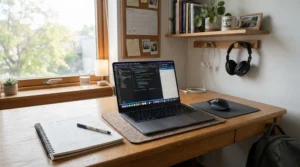
Silent Fanless Laptop for Library Study: What Really Stays Quiet
Libraries punish noise in a way dorms don’t. Nobody shushes you in a dorm, but a hum in a silent reading room feels like a spotlight. That’s where a silent fanless laptop for library study earns its keep.
Notebookcheck’s silent laptop ranking is blunt: truly passive designs are rare, MacBook Airs dominate, and the hoped-for Windows alternatives haven’t arrived. Among our picks, the MacBook Air models, MacBook Neo, Lenovo Chromebook Plus 14, and ASUS ExpertBook BR1204 are the fanless ones.
Fanless doesn’t mean sound-free, though. A roundup on quiet cooling for shared libraries points out that keyboard noise and coil whine can still be audible even when no fan runs. So a silent fanless laptop for library study still needs a keyboard you can tap softly. In my read, the Apple keyboards are the stealthiest, while reviewers’ “clacky” description of the Lenovo Chromebook Plus 14 suggests it’s the loudest of the fanless group.
One practical angle: fanless laptops can feel warm on your lap during heavy tasks, since the chassis is the heatsink. It’s rarely a problem for essays and slides, but worth knowing before a three-hour exam-prep session.
Laptop With Comfortable Keyboard for Essay Writing: What Actually Helps
A 5,000-word essay is roughly 30,000 keystrokes, assuming about six per word including spaces. That’s a lot of tiny impacts, which is why a laptop with comfortable keyboard for essay writing deserves more attention than the processor.
Lenovo’s own keyboard guide for writers says moderate travel of about 1.5-2.0 mm often balances speed and comfort, alongside good key spacing and tactile feedback. By that yardstick, the two ThinkPad models are the textbook answer.
That doesn’t make the shallower boards bad. Plenty of people type quickly on Apple’s low-travel keys and prefer the quiet tap. What matters is consistency: keys that don’t wobble, spacing that prevents typos, and a deck that doesn’t dig into your wrists.
For essay writers, here’s how I’d rank the group on feel alone, based on reviewer commentary: ThinkPad X1 Carbon and ThinkPad T14s first, the Lenovo Chromebook Plus 14 next for its praised keyboard, then the MacBooks, with the ASUS ExpertBook BR1204 a respectable budget alternative. Your hands may disagree, so if returns are generous, treat the first week as an audition.
Key Travel Depth: What the Millimeters Mean for Your Fingers
Key travel depth is the distance a key moves before bottoming out. It sounds trivial. It isn’t. Laptop Mag notes that typical laptops run 1.5-2 mm, thinner ones less, and that great feedback can partly make up for shallow travel.
| Laptop | Approx. Key Travel | Typing Character | Backlit | Best For |
|---|---|---|---|---|
| Lenovo ThinkPad T14s | 1.5 mm | Springy, cushioned | Typically yes | Long writing sessions |
| Lenovo ThinkPad X1 Carbon | 1.5 mm | Springy, refined | Yes | Daily heavy typists |
| ASUS ExpertBook BR1204 | ~1.35 mm* | Firm, spill-resistant | Verify | Budget typists |
| Apple MacBook Air 13 M5 | ~1.0 mm | Crisp, shallow | Yes | Quiet, light tappers |
| Apple MacBook Neo | ~1.0 mm | Crisp, shallow | No | Daytime typists |
| Asus Zenbook S14 (comparison) | 1.1 mm | Shallow, thin chassis | Yes | Fan-cooled performance |
*Flip-sibling spec, verify for your model.
Look at the spread. The ThinkPads deliver the deepest travel, and the Asus Zenbook S14 shows what happens when a chassis gets so thin that travel shrinks to 1.1 mm. If you’re a heavy typist, a few tenths of a millimeter may matter more than screen resolution. Light tappers who value silence may happily trade that depth for Apple’s low-profile feel.
Low Fan Noise: Fanless vs Quiet Fan-Cooled Laptops
If low fan noise is the goal, the real question is whether you need a fan at all. Here’s how the three main categories compare.
| Type | Noise Under Load | Performance Headroom | Typical Picks | Best For |
|---|---|---|---|---|
| Fanless Apple silicon | None | High for the class | Apple MacBook Air 13 M5, Apple MacBook Neo | Silent everyday power |
| Fanless low-power | None | Light tasks only | ASUS ExpertBook BR1204, Lenovo Chromebook Plus 14 | Budget and web work |
| Quiet fan-cooled | ~35 dBA at 30W+ | Highest | Lenovo ThinkPad X1 Carbon, Lenovo ThinkPad T14s | Typing plus Windows power |
That table clarifies the trade. Fanless wins on silence and simplicity but caps performance, while quiet fan-cooled designs give you raw headroom and the deepest keyboards at the cost of occasional whirring. In Ultrabookreview’s measurements, the ThinkPad X1 Carbon sat around 35 dBA versus about 45 dBA for the Asus Zenbook S14, a gap you can hear.
Notebookcheck also notes that some Lunar Lake laptops let you switch the fan off entirely in software, including the LG Gram Pro 16, LG Gram 17, and Acer Swift 16 AI. Intensive tasks eventually force it back on. Any quiet-mode setting only helps if it’s actually enabled, so check it on day one.
Backlit Keyboard: Late-Night Typing Without Waking Anyone
A backlit keyboard sounds like a luxury until your roommate’s bed is eight feet away and the overhead light is off. Then it’s a courtesy.
Among our picks, the MacBook Air models and both ThinkPad laptops are backlit, with the X1 Carbon using a white backlight. The MacBook Neo has no backlight at all, and reviewers mention it repeatedly, so look elsewhere if you type after dark. For the ASUS ExpertBook BR1204 and Lenovo Chromebook Plus 14, confirm backlighting on the exact configuration before buying.
A few habits help a backlit keyboard play nice. Set the glow to its lowest level, use the auto-off timer if one exists, and keep screen brightness low enough that the whole room doesn’t turn into a nightclub. A glowing keyboard combined with a bright white document is the fastest way to earn a roommate’s glare.
Dorm Room Setup Guide: Keep Your Laptop Silent and Your Typing Comfortable
Buying the right machine is half the job. Here’s how to set it up so it stays quiet and comfortable all semester.
First-use tips: Choose Balanced power mode on the fan-cooled ThinkPads, because Performance mode raises fan noise. Turn on any quiet or optimized profile in the manufacturer’s utility, and check that it’s actually active.
Placement: Hard surfaces such as a desk or tray let heat escape better than a duvet. Fanless laptops use their metal chassis as a heatsink, so a soft surface can trap heat and, on fan-cooled models, trigger louder fans.
Typing comfort: Raise the laptop screen to eye level on a stand and use a separate keyboard for long sessions if your desk allows. Keep wrists flat and take a short break every hour.
Maintenance schedule: Wipe the keyboard weekly, update firmware monthly, and every semester clear dust from fan vents on the ThinkPads. Fanless models skip the vent cleaning entirely, which is one of their sneaky perks.
Common first-30-days mistakes: leaving heavy apps open in the background, forgetting to enable quiet mode, and choosing a bright backlight in a dark dorm.

Real-World Scenarios: Matching a Quiet Laptop to Your Dorm Life
Scenario 1: The tight-budget English major. Maya (a composite profile, not a real person) writes constantly, lives in Google Docs, and has under $600 to spend. The ASUS ExpertBook BR1204 gives her a fanless Windows machine with a spill-resistant keyboard, while the MacBook Neo is worth a look if her budget stretches. Her priority is silence and key comfort rather than speed.
Scenario 2: The STEM student who needs Windows. Daniel runs engineering software and writes lab reports late. He needs full Windows, deep keys, and enough headroom for spreadsheets and simulations. The Lenovo ThinkPad T14s fits, with the ThinkPad X1 Carbon as the dream upgrade if budget allows. The fans exist, but Balanced mode keeps them subdued.
Scenario 3: The library marathoner. Priya studies six hours a day in a silent reading room. She wants zero fan noise and a big, comfortable screen, which points to the Apple MacBook Air 15 M5. If she prefers a smaller, lighter machine, the Apple MacBook Air 13 M5 gets her nearly the same experience.
If you’re comparing premium options further, Ultrabookreview’s ThinkPad X1 Carbon vs MacBook Air comparison is a useful side-by-side read.
Problem → Solution Guide: Common Dorm Laptop Headaches
Problem: Fans suddenly ramp up. Close background apps and switch to Balanced mode. If the problem persists on a ThinkPad, check for dust in the vents.
Problem: Roommate complains about typing noise. Use a softer typing technique, or add a thin silicone keyboard cover. Apple’s shallower keys tend to be less audible than a deeper, springier layout.
Problem: The keyboard glow is too bright. Drop the backlight to its lowest level or switch it off when you’re confident of the layout. The MacBook Neo has no backlight, so a small clip-on desk lamp is the workaround.
Problem: The laptop gets warm on your lap. On fanless models the chassis is the radiator. Use a tray or hard surface for heavy work, and keep soft bedding clear of the base.
Problem: Wrists hurt after long sessions. Raise the screen, use a wrist rest, and consider an external keyboard. The sharp front edge noted on MacBooks is worth padding with a wrist rest.
Common Mistakes When Buying a Quiet Laptop
Buying on silence alone is the classic error. A fanless laptop with a mushy keyboard will still make you miserable by midterms, so weigh both halves of the brief.
Another mistake is assuming “quiet” means “fanless.” Several fan-cooled laptops are genuinely calm, but only in the right power mode, and a laptop that’s quiet at idle may roar under load. Check measured noise numbers rather than marketing words.
Don’t ignore software compatibility. A Lenovo Chromebook Plus 14 is delightful until a class requires a Windows-only program. Likewise, skipping a backlit keyboard feels fine in the store and awful at midnight.
Finally, beware of bargain configurations. Base memory and storage on some budget machines are tight, and soldered components on Apple laptops can’t be upgraded later. Buying the right capacity upfront costs less than replacing the laptop in year three.
Long-Term Cost & Maintenance: What a Quiet Laptop Really Costs
| Laptop | Price Range | Value Verdict | Best For |
|---|---|---|---|
| ASUS ExpertBook BR1204 | $350-$600 | Cheapest silence | Budget text work |
| Apple MacBook Neo | $600-$700 | Excellent entry Mac | Daytime typists |
| Lenovo Chromebook Plus 14 | $650-$750 | Great if web-first | Browser-based classes |
| Lenovo ThinkPad T14s | High-$1,000s to ~$2,000 | Best typing, pricey | Heavy typists |
| Apple MacBook Air 13 M5 | ~$1,000-$1,100 | Strong all-rounder | Most students |
| Apple MacBook Air 15 M5 | ~$1,300-$1,500 | Premium comfort | Big-screen users |
| Lenovo ThinkPad X1 Carbon | ~$2,000+ | Flagship luxury | Professionals |
The table shows value scaling less steeply than price. A MacBook Air 13 costs roughly double the MacBook Neo but adds a backlight, more memory, and better headroom, which can matter over four years. If longevity is your priority, the Air models and ThinkPads are the ones built to survive a degree.
Fanless designs lower maintenance since there’s no fan to clog, while fan-cooled machines need an occasional vent cleaning. Apple’s soldered storage means buying capacity upfront, and ThinkPad serviceability is a plus, since Ultrabookreview says the latest X1 Carbon is easier to repair than most rivals.
Features That Actually Matter (And Those That Don’t)
Matter most: key feel, noise behavior, battery life, and software compatibility. Everything else is seasoning.
Matter less: raw benchmark scores. Fanless laptops tend to be tuned for efficiency, and for essays, notes, and research, an efficient chip is plenty. Chasing the fastest processor can actually cost you silence.
Also skip fixating on thin-and-light as a status symbol. The Asus Zenbook S14 example shows how a slimmer chassis can force shallower keys and louder fans. A touch more thickness often buys a better keyboard and quieter operation.
And a word on screens. OLED panels like the Lenovo Chromebook Plus 14‘s look gorgeous, but a glossy surface in a bright dorm can reflect your desk lamp. Matte options, like the ThinkPad X1 Carbon‘s anti-glare OLED, may be better for study sessions near windows.

Frequently Asked Questions
❓ Is a fanless laptop powerful enough for college coursework?
❓ Which budget laptop has the best typing feel under $700?
❓ Do quiet laptops overheat without fans?
❓ Is a MacBook or a ThinkPad better for dorm room typing?
❓ Can I turn off the fan on a Windows laptop for quiet study?
Conclusion
Finding a quiet laptop with good keyboard for dorm room life comes down to choosing which kind of calm you want. If silence is sacred, the fanless group (ASUS ExpertBook BR1204, Apple MacBook Neo, Lenovo Chromebook Plus 14, and both MacBook Air models) has you covered, with Apple dominating the top end. If your fingers are the VIPs, the ThinkPad T14s and ThinkPad X1 Carbon offer the deepest keys while keeping their fans on a short leash.
My own shorthand: the Apple MacBook Air 13 M5 is the safest all-round pick for most students, the ASUS ExpertBook BR1204 is the budget silencer, and the Lenovo ThinkPad X1 Carbon is the typist’s indulgence. Match the keyboard depth, backlight, and noise profile to how you actually live, and check software compatibility before you click buy.
Prices drift, and configurations change by region, so confirm current pricing and exact specs before purchasing.
Recommended for You
- Chromebook for College Students Who Mostly Write Papers: 7 Best 2026
- Laptop With Number Pad for Accounting Students: 7 Smart Picks 2026
- Refurbished Laptop for College Students: 7 Best Picks 2026
Disclaimer: This article contains affiliate links. As an Amazon Associate, I earn from qualifying purchases. If you purchase products through these links, we may earn a small commission at no additional cost to you.
✨ Found this helpful? Share it with your friends! 💬🤗
